

Settings
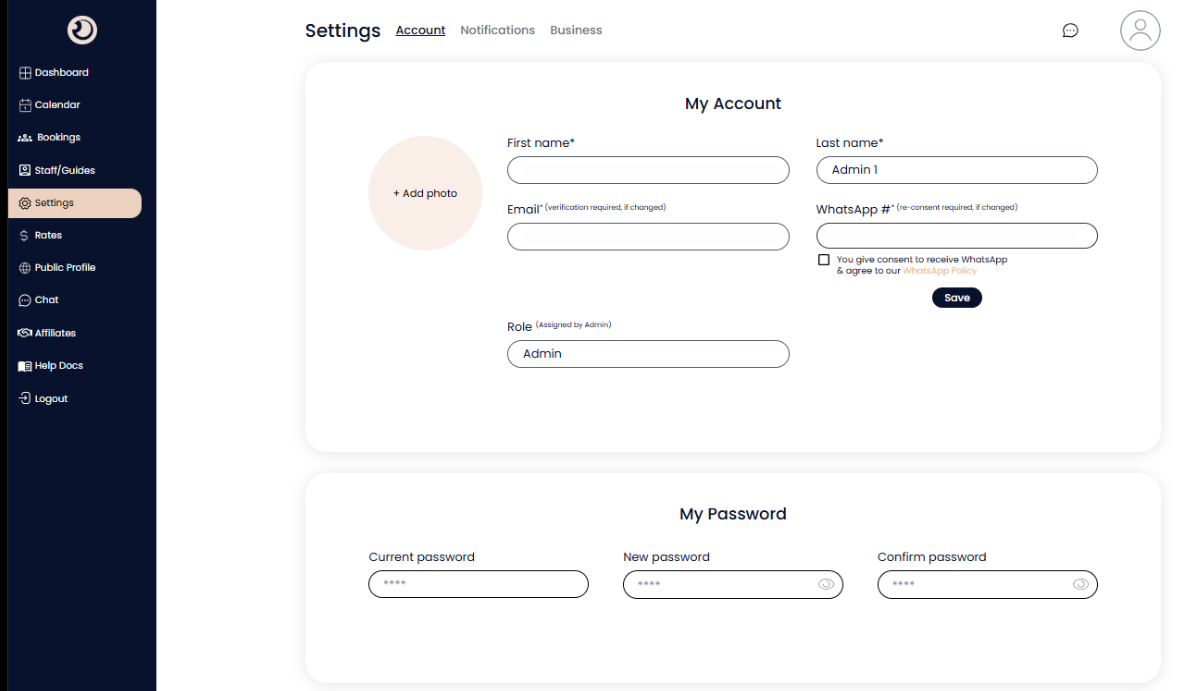
Account Settings
Manages personal identification, contact preferences, and secure access credentials for the individual user.
Profile Avatar (+ Add photo):
Allows you to upload a personal photo for easier identification by team members and partners during chats.
WhatsApp Consent Checkbox:
A mandatory opt-in to receive automated, real-time booking updates and notifications directly to your linked mobile number.
My Password Section:
A dedicated security area to update your login credentials by verifying your current password and setting a new one.
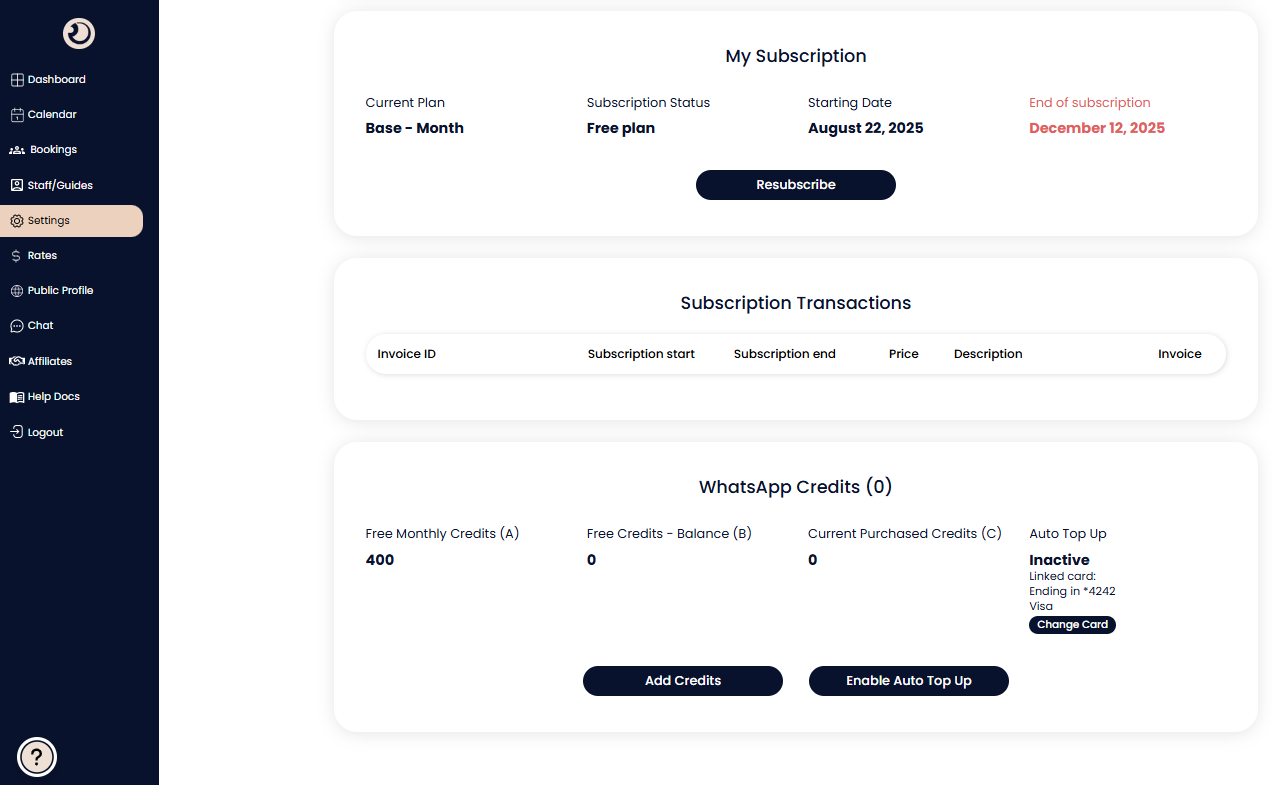
Subscription & Billing Management
Provides full oversight of your platform service plan, payment history, and messaging credit balances.
My Subscription Overview:
Displays your current plan tier (e.g., "Base - Month"), active status, and the upcoming renewal or expiration date.
Resubscribe / Plan Management Button:
Allows you to renew an expiring plan or upgrade your service level to access more features.
Subscription Transactions Table:
A chronological log of all past payments, including price and description, with direct links to download official PDF invoices.
WhatsApp Credits & Auto Top-Up
Manages the messaging "fuel" required for the platform to send automated notifications to your guests and partners.
Credit Balances (Monthly vs. Purchased):
Breaks down your remaining credits into three categories: those included for free each month (A), your current free balance (B), and credits you have manually purchased (C).
Add Credits Button:
Enables manual one-time purchases of additional messaging credits if your balance is running low.
Auto Top-Up Management:
Allows you to link a payment card (e.g., Visa) and enable automatic credit purchases to ensure your automated communications never stop due to a zero balance.

Business Details
This section is used to manage the official corporate identity of your DMC. The information entered here is used for your public profile, legal documentation, and automated invoicing.
Company/Business Name:
The official legal name of your agency as it should appear to all restaurant partners and on all financial receipts.
Business E-mail:
The primary administrative email address for the company. It is recommended to use a general office email rather than a personal staff email to ensure continuity of communication.
Company Registered Address:
The physical, legal address of your business. This is required for tax compliance and is printed on all official invoices generated by the platform.
Landline # / Mobile #:
The primary contact number for your business operations. This allows partners to reach your office directly for high-priority inquiries.
Update Button:
Saves and applies any changes made to your business profile across the entire ReserveOn platform.